Each
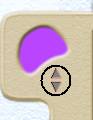
Melody Window you make has a color which allows
you to associate it with a stroke in the Sketch Window. To change the
color of the window, click on the up and down arrows in the top left-hand
corner of the Melody Window.
A
stroke placed in the Sketch Window will sound the contents of the motive which
is the same color as that stroke.
You may
change the color of a Motive Window at any time. In this case the motive will
now be associated with strokes of the new color. Strokes of the previous color
will no longer play material from this motive.