 |
|||||||||
| Draw and Send Your Ringtone | |||||||||
Make a new Sketch Window by clicking on the Sketch Window Tool:
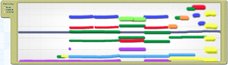
then clicking anywhere in the workspace. Draw your melodies and drumbeats into the Sketch Window as before. The percussion line (track) can be placed anywhere and will still sound the same as it does in the motive window. Other melodies will sound higher or lower depending on where in the Sketch Window they are drawn. Experiment with the vertical position and shape of the lines until you find the place that sounds best. In general, basslines will be drawn near the bottom of the window, and melody lines nearer the top. It's often better to use short lines rather then long scribbles. Also, it is often good to vary the texture - that is, the number of tracks or lines playing at once. Heres an example:
|
|
||||||||
| Previous Next | |||||||||
| |