You can use
the imported motives by drawing them directly in the Sketch Window.
Alternatively, you can change them in a variety of ways.
Make the Melody Window longer or shorter by dragging
on the right hand edge.
Delete notes by selecting the note with
the Arrow Tool and pressing ‘backspace’.
Change the pitch of notes by selecting the note with
the Arrow Tool and dragging it up or down or using the arrow keys on
the keyboard.
Change the rhythmic position of notes by selecting
a note with the Arrow Tool and dragging it left or right or using the
arrow keys on the keyboard.
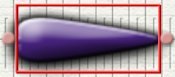
Change the length of notes by selecting the note with
the Arrow Tool and dragging the handles at either end of the red select
box.
Change the instrumental sound of motives by
selecting the motive using the Arrow Tool and choosing a new instrument
sound from the Instruments Menu.
|