 |
|||||||||
| Changing Instruments | |||||||||
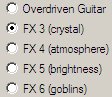
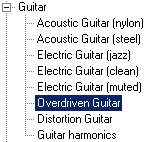
Hyperscore uses General MIDI technology to produce instrument sounds. General MIDI provides up to 128 sounds, but ony allows 16 sounds to be active at any one time. For this reason, the Hyperscore Instruments menu can only have 16 instruments available at once. However, you can choose which 16 instruments out of the total 128 you wish to use. To change the instruments available in the Instruments Menu: Choose ‘Change Instruments’ from the Instruments Menu. In the pop-up window which appears, the list on the left contains all the possible instruments, arranged in groups, while the list on the right contains the currently active set. Choose which instrument you wish to replace from the list on the right.
Choose the instrument you want to use instead from the list on the left.
Press the ‘Replace’ button.
The instrument list on the right will update to show you the new active
set. Click 'Apply' and then 'OK' to return to your piece.
The newly selected instrument will now appear in the Instruments Menu.
|
|
||||||||
| Previous Next | |||||||||
| |